150 companies. One screen.
SAGA stays exactly where it is. You bring the whole portfolio in an afternoon, and you read every company’s SPV mail with your certificate, not company by company.
 BIWizzPractice portfolioFictional data
Practice portfolio
150 companiesTap a company to tick it.
What a day looks like today in a practice with 150 companies
- “I go into SPV client by client, to see if anything came.”
- “Documents arrive on WhatsApp, by email and on paper, to three different people in the office.”
- “I tick the bank statement against the ledger, line by line, company by company.”
- “To know where I stand on the portfolio, I open the companies one by one.”
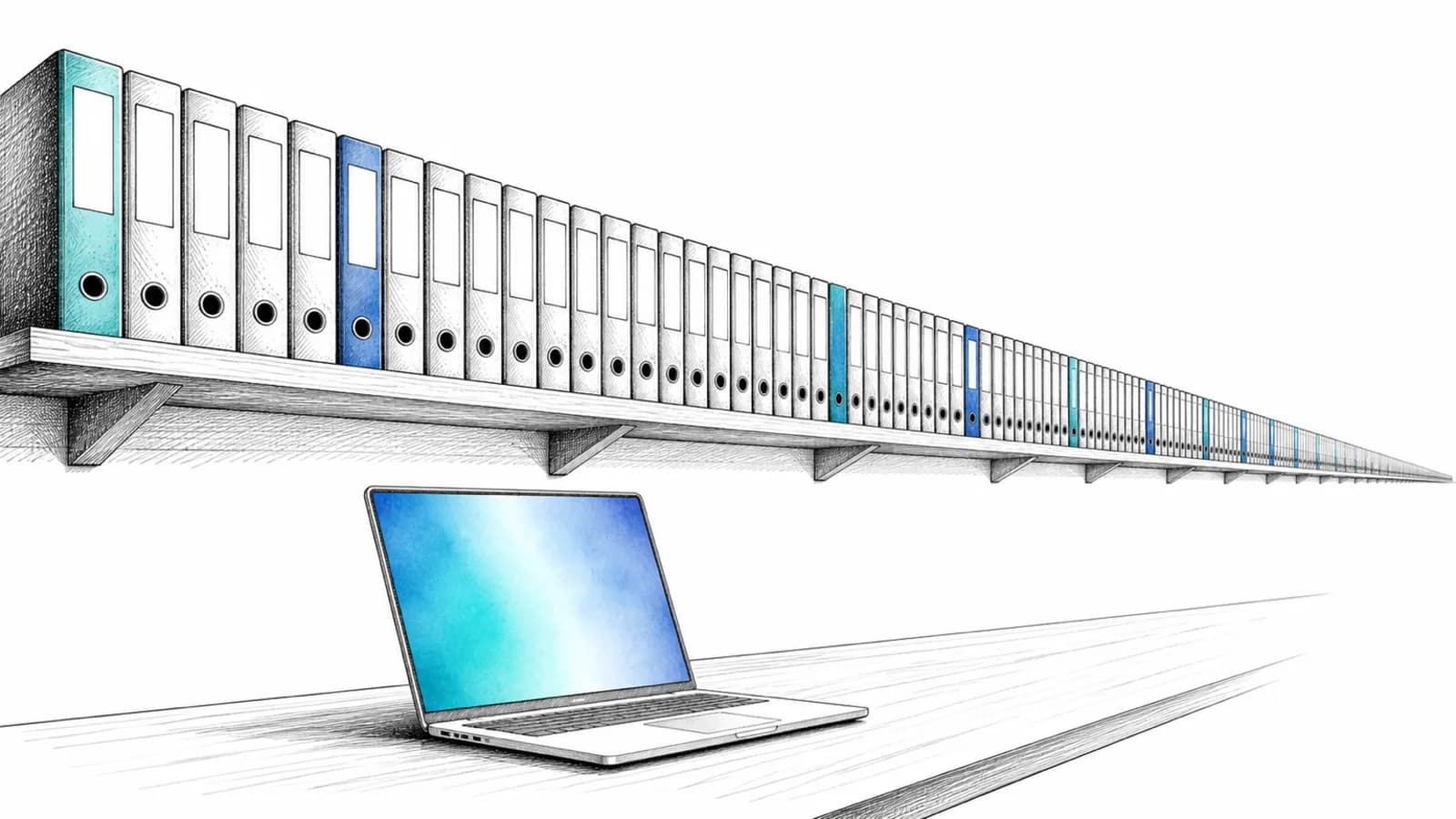
Monday morning, at the practice.
From installing Bridge to the report that leaves on its own. Scroll.
Bridge brought the companies in. You moved nothing.
You installed it once, on the computer that runs SAGA. It found the databases, tied them to the tax IDs, and the companies appeared here. It reads. It never writes to SAGA.
Everyone’s SPV inbox, with your certificate.
No more logging in client by client to see whether anything came. New messages surface per company, with the document kept before ANAF deletes it.
Tick three companies. Ask one question.
“What is ANAF asking us for this month?” Wizzy answers for each ticked company, with the source in view. The same question, once.
The monthly report leaves on its own.
You wrote it once. Now it goes to the client on the day and hour you chose — and the client stops calling to ask where they stand.
This is what it looks like inside, for the practice.
Eight real screens from the demo account. Scroll sideways: the trial balance pulled from SAGA without opening SAGA, companies brought in by Bridge, ANAF messages from SPV, the returns calendar with deadlines and arrears, received and issued invoices, documents by folder, and the analyses that leave for the client on their own.
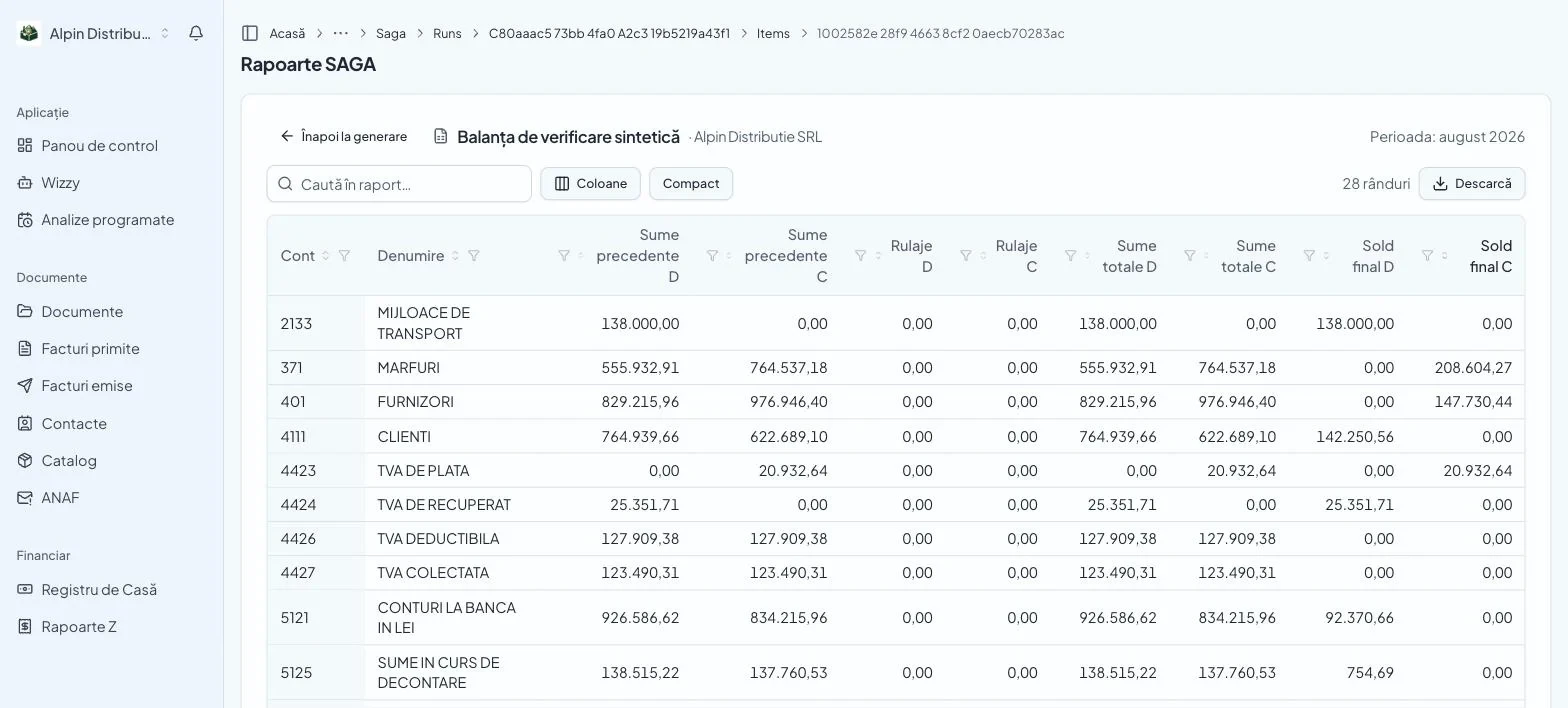
SAGA reports · trial balance, August
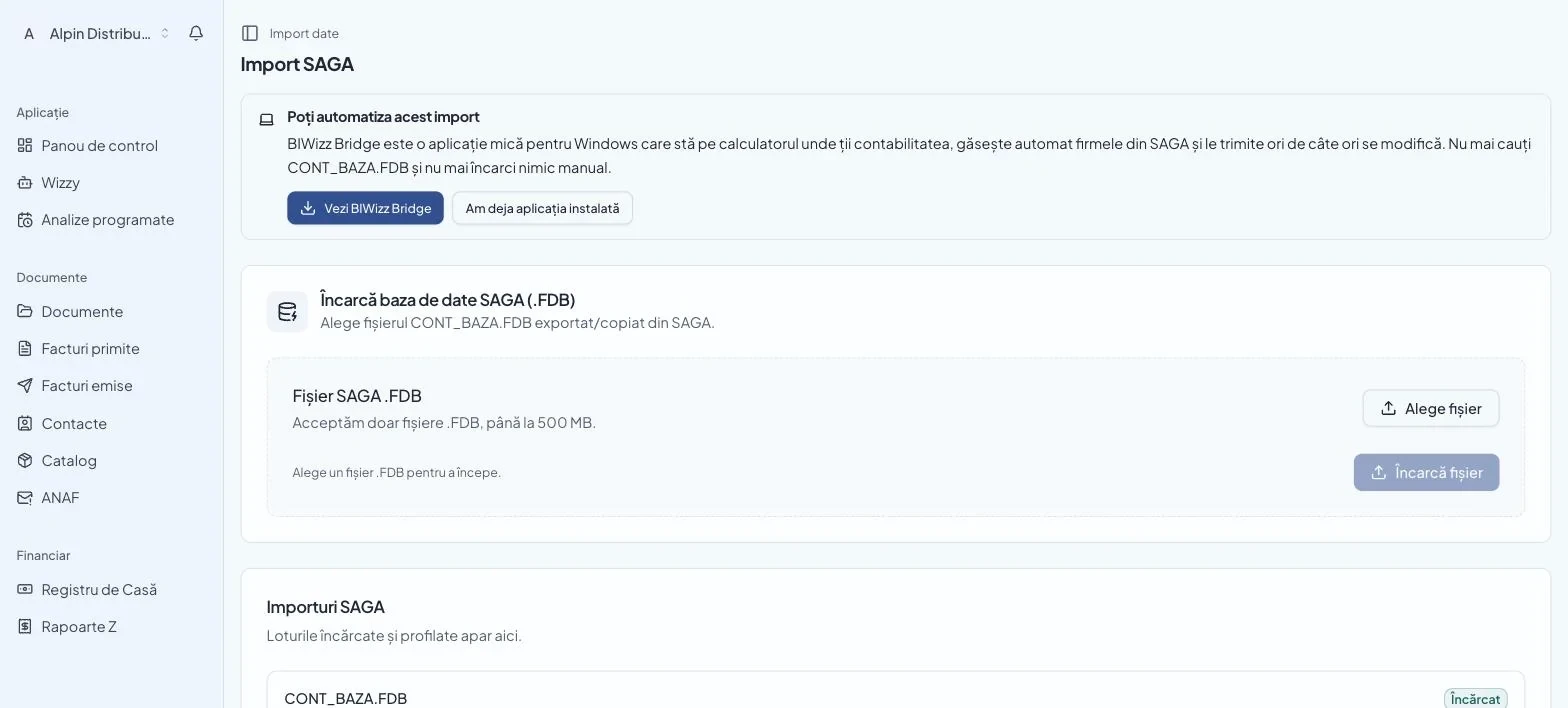
SAGA import · Bridge brings the companies in
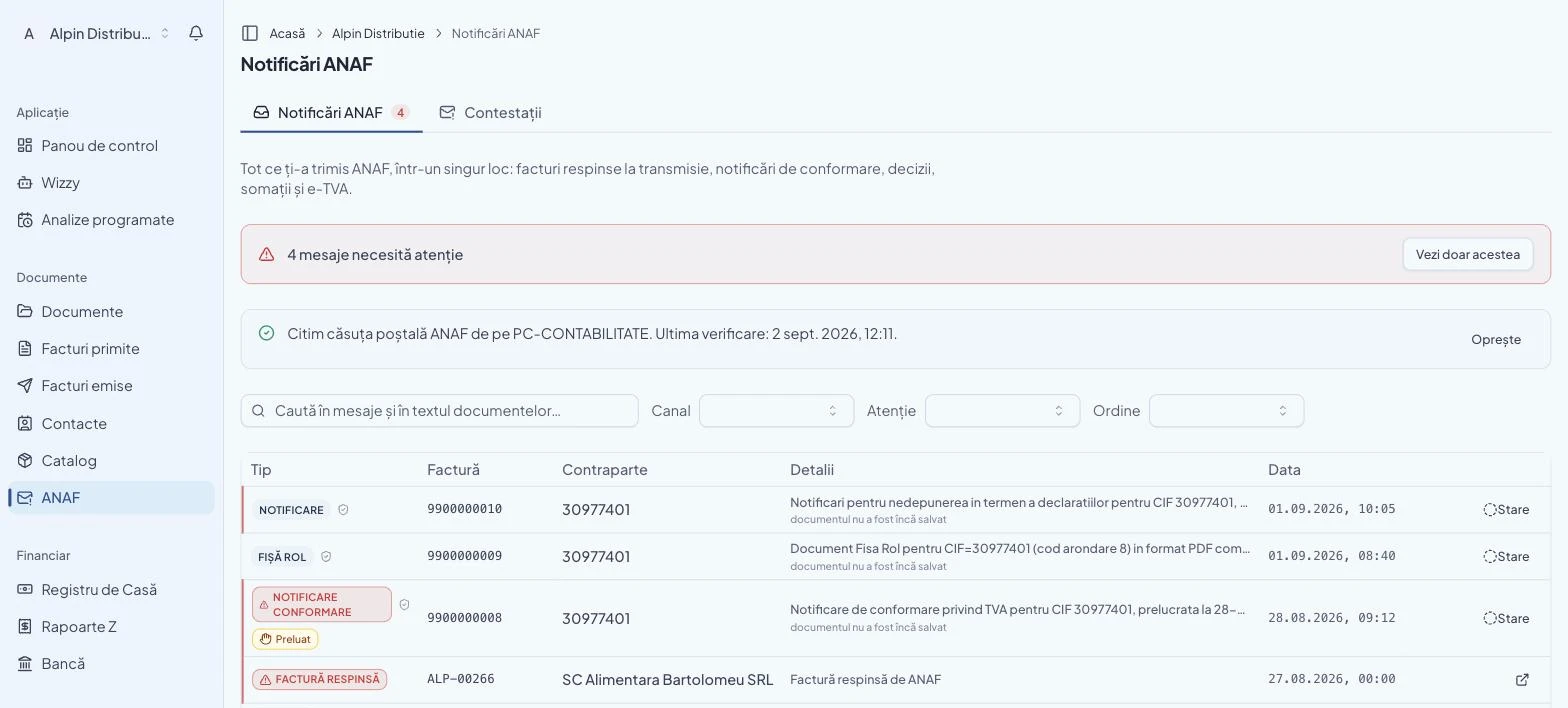
ANAF messages · everything they sent you, in one place
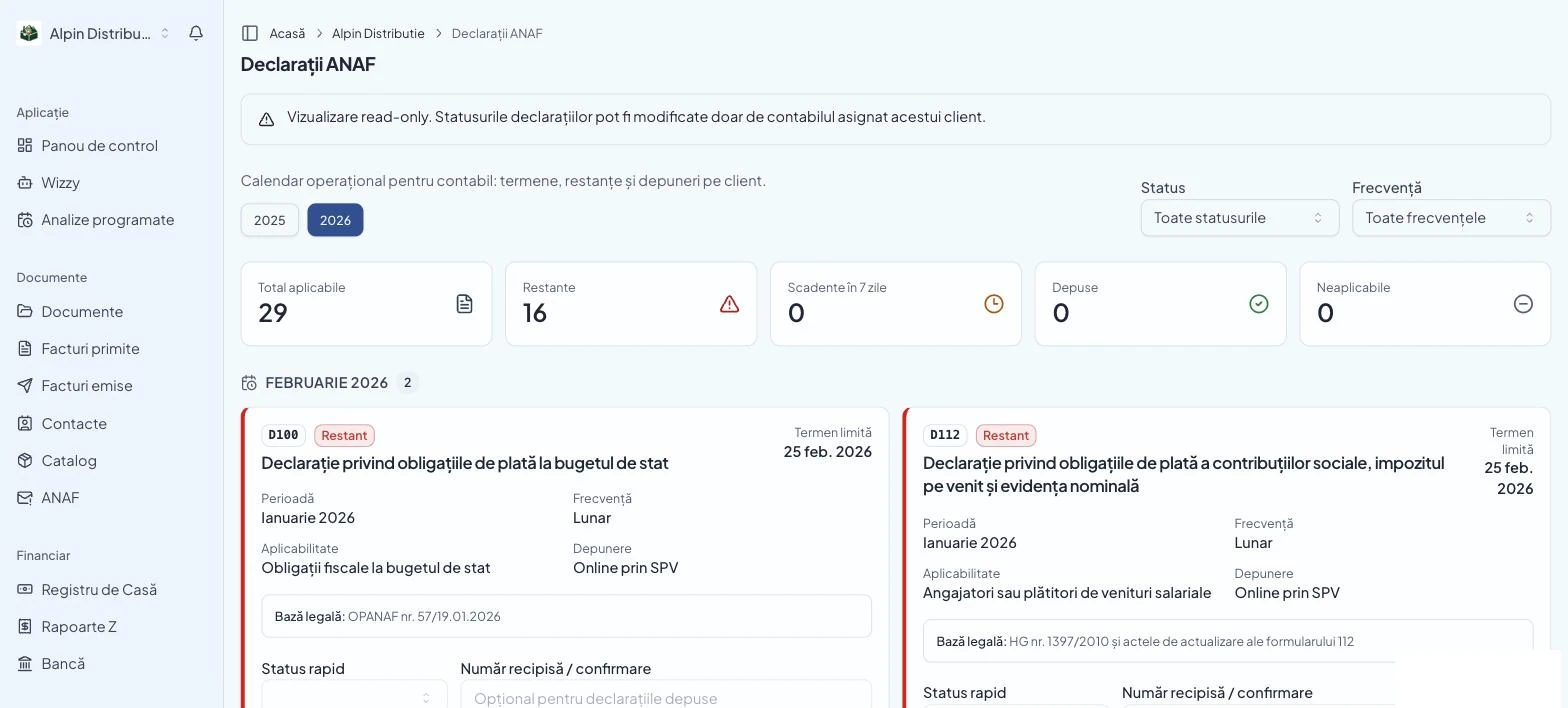
ANAF returns · deadlines and arrears, per client
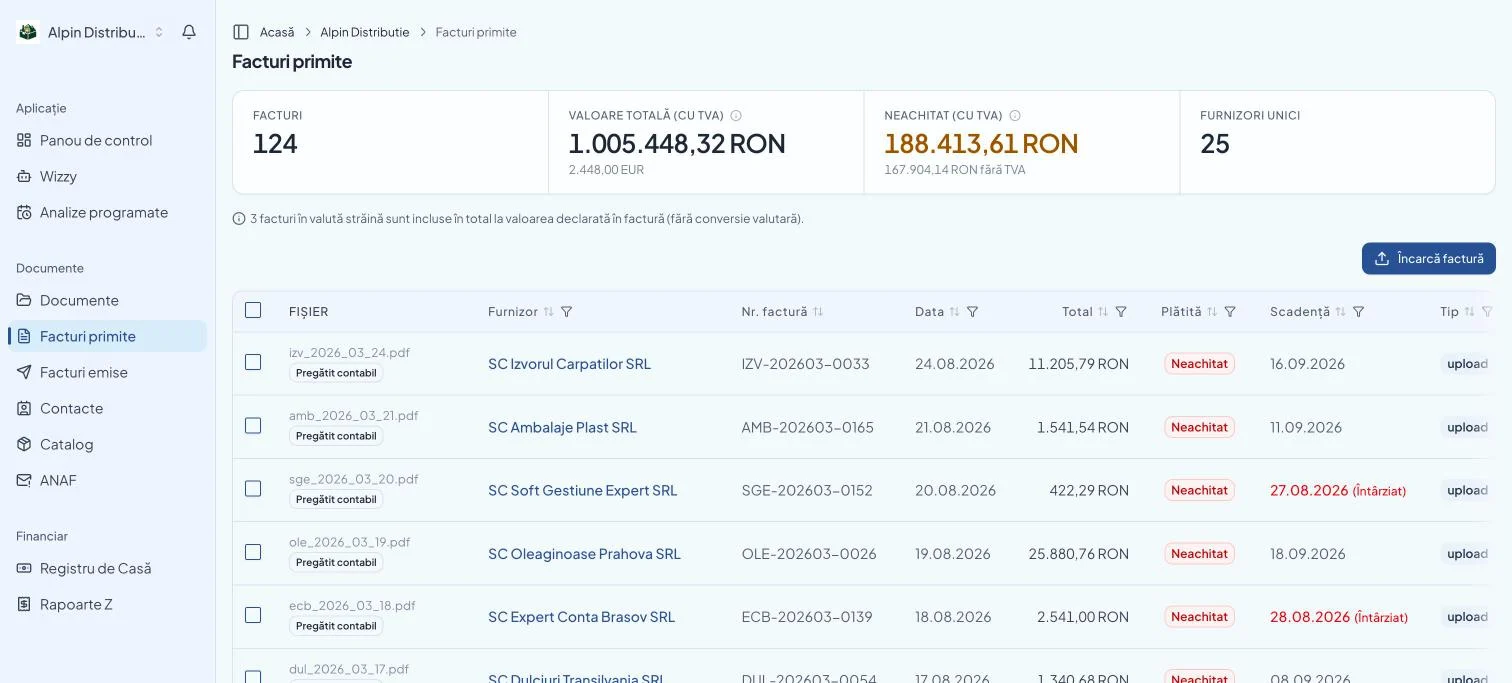
Received invoices · due dates and delays
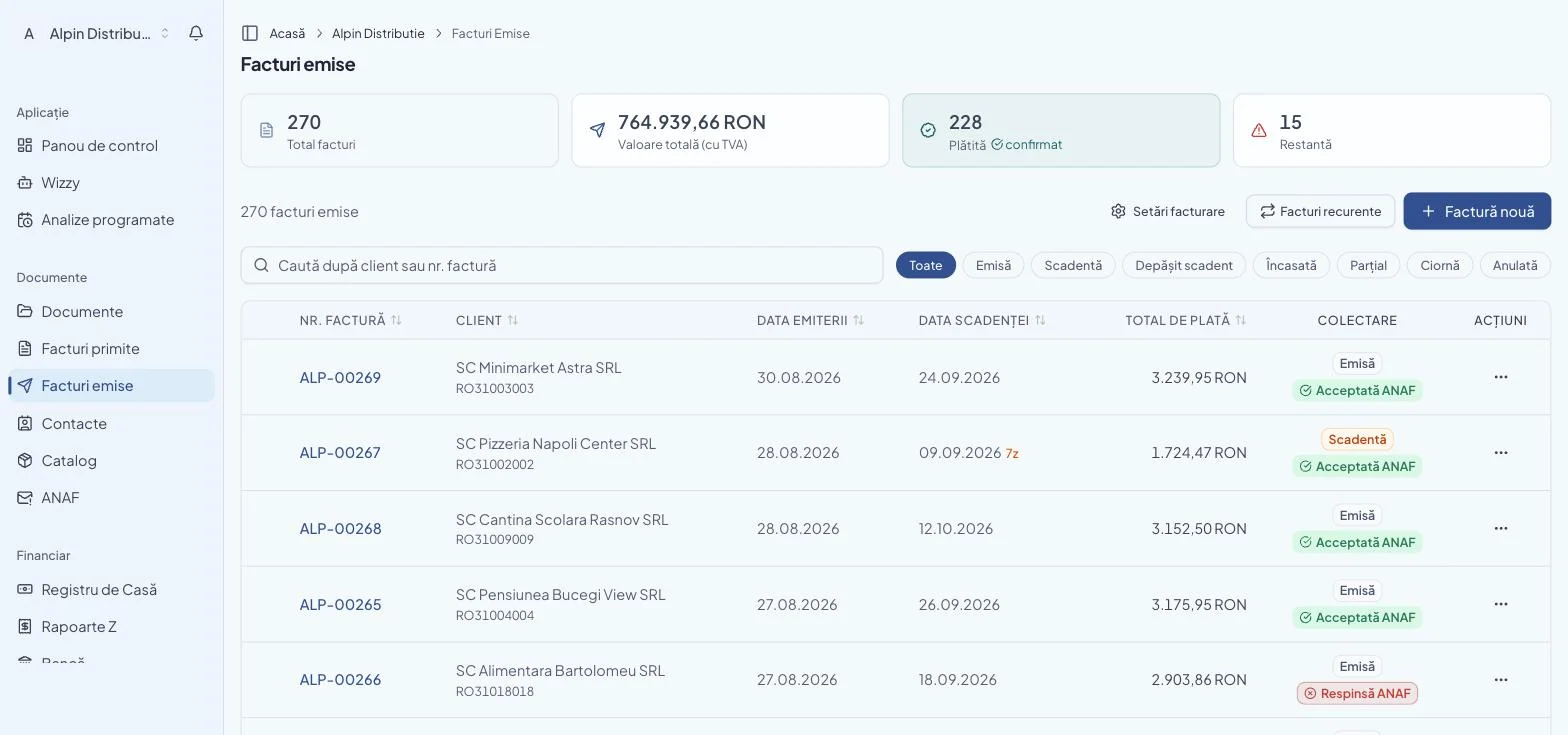
Issued invoices · ANAF’s answer on each
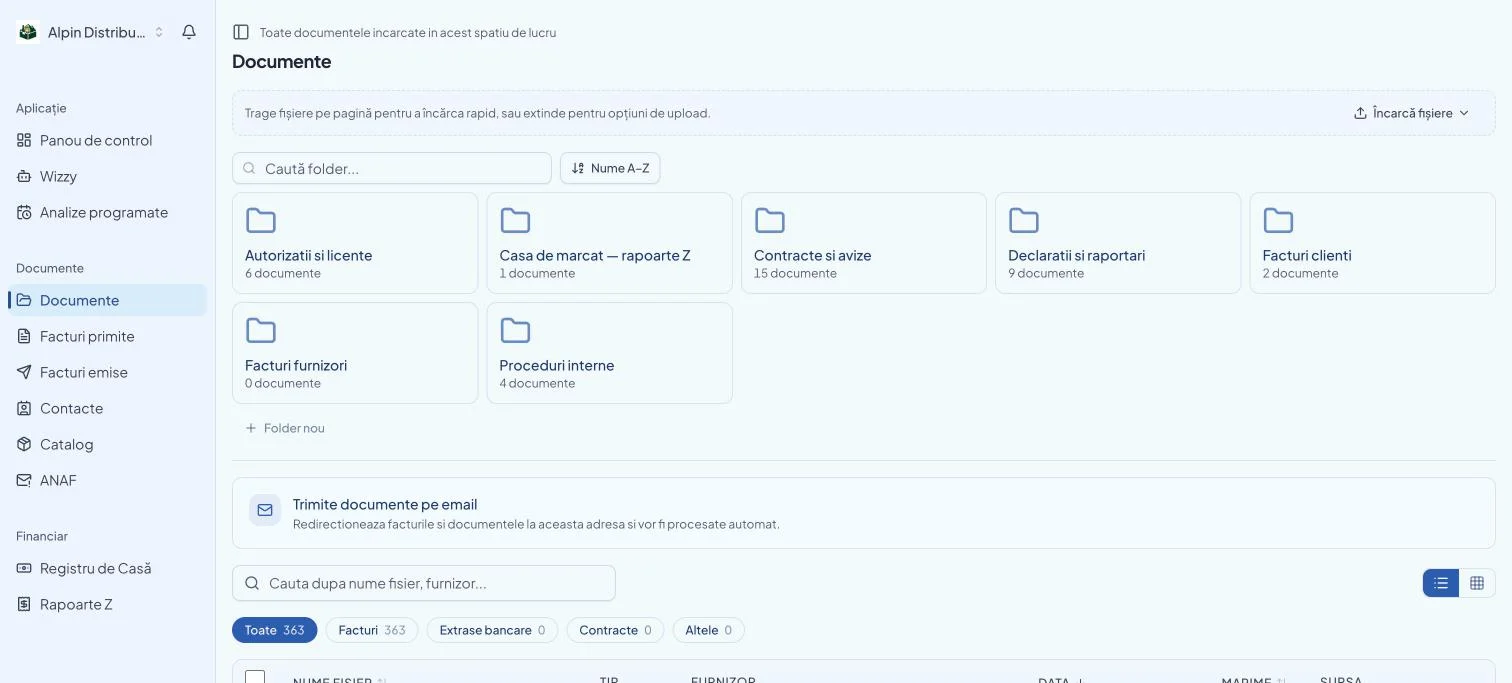
Documents · by folder, 363 files
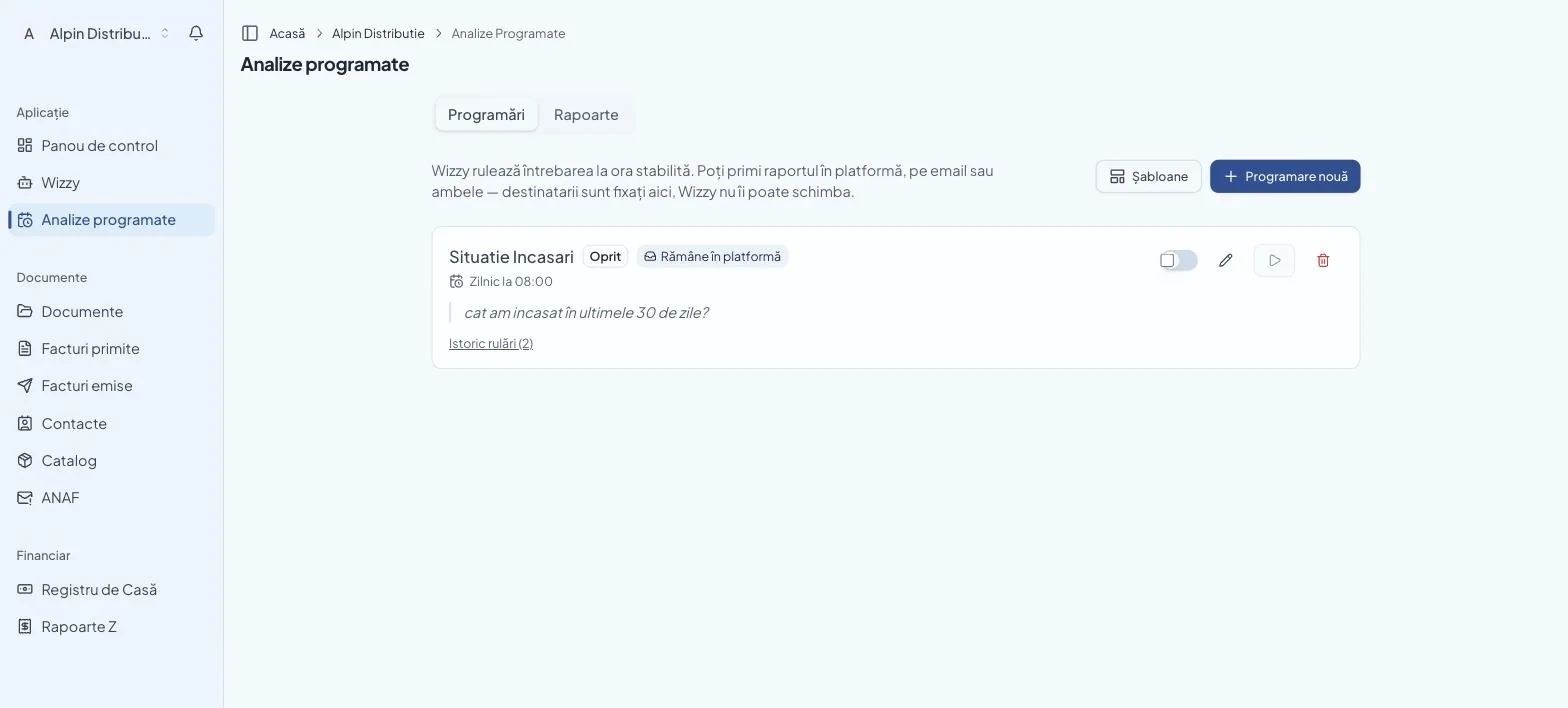
Scheduled analyses · arrive on their own, at your hour
Real screens, fictional company (Alpin Distribuție SRL, the demo account). The balance was generated while this page was being written.
Open the demoOne letter, the whole portfolio.
The tax-certificate request, the SPV power of attorney, the reply to an ANAF notice: you write it once, tick the clients and fill in only what their records don't already say. The documents come out finished, in each client's file.
You fill in only what is missing
The name, the registered office, the trade-register number, the tax id and the legal representative come from the client's record. What is left are the boxes only you know, Enter from one client to the next, or pasted from Excel.
ANAF notices, read for you
For a reply to a notice, BIWizz reads the notices received in SPV for each company and proposes the number, the date and what is being asked. You confirm.
Submission, next to your certificate Soon
The batch lands in BIWizz Bridge, on the machine that holds the certificate, and ANAF's registration number stays recorded on each client. Automatic submission from Bridge is coming soon; until then you download the documents and submit them from SPV, as today.
Real recording, fictional companies: the tax-certificate request for five clients, then the batch as it lands in BIWizz Bridge, made while writing this page.
We don't move your portfolio.
It finds the companies on its own
For SAGA on a computer, you install BIWizz Bridge once, where you work. For SAGA Web, you add the extension to Chrome. Both find the companies, match them by CUI with the ones in BIWizz, and the missing ones you create in one click.
It doesn't touch the database
We read. We never write into SAGA. Your software stays exactly as it is, and stays yours.
Work in SAGA Web? See the SAGA Web connector →
One question, the whole portfolio.
Tick the companies and ask once. Wizzy answers for each, with the source in view: SAGA, bank statements, e-Factura, SPV mail. Not a chat with opinions: the same model that reads current legislation reads the client's trial balance.
The BIWizz app, for your clients
You ask for a document, the client gets a notification on their phone, scans it on the spot, and you have it filed under the right company and month, with no call and no e-mail. Wizzy answers them, so they stop asking you. iOS and Android.
Wizzy shows you its sources, so you can check. Nothing goes to a client or to ANAF without your approval.
Monday-morning questions
What is ANAF asking of us this month, on the ticked companies?
The new SPV messages, per company, with the deadline and a prepared reply.Which payments on Alpin's bank statement are not in SAGA yet?
The cross-check, line by line, with the differences listed.Which documents are missing at Alpin for the month's close?
The list, per company: the statement that never came, received invoices without a document.How much did Alpin collect this month against last month?
The figure, the difference and the invoices behind it, from the statements and SAGA.
The practice never pays.
The practice account is free, however many companies you bring and however many colleagues work in it. Each company picks its own subscription — or stays on Liber for as long as it likes.
Your own work in the practice is included· nobody pays for it
For your own work in the practice. With every company in the portfolio that moves to a subscription, the reserve grows. Companies that stay on Liber never shrink it.
You pay per company, not per user
One CUI, one subscription. How many colleagues work on a company does not change the price — not for you, not for the client.
- Grows with every company that moves to a subscription
- Companies on Liber don't shrink it
Your client arrives prepared. And stops calling you to find out.
Coming soonThe owner has their own access, on the same data: they see their receipts, invoices, documents and ANAF mail, and can ask Wizzy directly. The invitation comes from you.
You are no longer their search engine
“Did the invoice from X come in?”, “how much am I owed?”, “what did ANAF send me?” have an answer they get themselves, from the data, with the source next to it. You remain the one who judges, checks and signs, which is exactly the part they pay you for.
Documents come in as they appear
By email, on WhatsApp or straight from SPV, not in an archive on the 30th. The month's close starts with what is already there, not with a pile and a deadline.
Start with the practice’s own company.
The practice’s SRL has SPV, a bank and deadlines like any other. See how it looks on your own company first, then invite clients.
What is left to ask
“Does Wizzy take my job?”
No. It takes the part you never chose: SPV opened company by company, the transcribing, the report rewritten every month. Judgement, checking and the signature stay yours, and they are what the client pays you for.
“Can a client show up on my board without me wanting it?”
No. Companies appear only if you bring them: through Bridge, from the SAGA computer, or through your invitation.
“Is the SAGA data live?”
Not in real time. Bridge reads the SAGA database on your computer, and the extension takes a copy from SAGA Web after you work on a company. On each company you see the date of the last copy. SAGA stays the source; we never write to it.
“What does it cost me to bring the whole portfolio?”
Nothing. The practice account is free, and companies come in on the free plan. Each company decides for itself whether and when to move to a plan. The decision is the owner's, not yours, and you are not asked to sell it.
“What happens if a client drops their plan?”
The account is not blocked and nothing disappears. The company returns to the free plan: the visibility stays, the part that worked on its own stops. What was there stays there.
Bring your portfolio in within an afternoon.
Open the demo on fictional data, or connect SAGA: Bridge for SAGA on a computer, the Chrome extension for SAGA Web. Your companies then appear in BIWizz.
Already have an account? Sign in
biwizz.ro