
BIWizz Bridge is a small Windows app that sits in the system tray on your office machine. It does two things from there: it keeps your SAGA C companies synced into BIWizz, and — if you hold a qualified certificate — it brings in the SPV mail for every company that certificate covers. You install it once and then leave it alone.
It installs on Windows
BIWizz Bridge only runs on Windows, because SAGA C only runs on Windows — on anything else there would be nothing for it to read. Download it on the machine where you keep your books.
Version 0.2.7 · 64-bit Windows 10 and 11
- Windows 10 or 11, 64-bit
- A BIWizz account with the companies you want to sync
- For the SAGA half: SAGA C installed locally or on a server on your network
- For the SPV half: a qualified certificate with an ANAF mandate for those companies
It finds your SAGA companies automatically
You do not tell it where to look and you do not type file paths. On first run it reads the SAGA installation on the machine and shows you every company it found, with its name and tax ID, exactly as they appear in SAGA.
- It proposes which SAGA company matches which BIWizz company, by tax ID
- A proposal stays a proposal: you confirm the link once, by hand
- Companies blocked in SAGA, ones in the legacy format, and ones living on another machine are labelled as such rather than hidden
Intelligent syncing, not a blind hourly copy
A SAGA database can be hundreds of megabytes. Copying and sending it again when nothing has changed burns hours of disk and bandwidth — on the same machine you are trying to work on.
- Before anything else, Bridge checks whether the database changed — it reads a few bytes, not the whole file
- It reads the database's own transaction counter rather than the file date: the date moves even when nothing was recorded, the counter does not
- If nothing changed, nothing is copied and nothing is sent. A check costs milliseconds
- When SAGA is open and holding the database locked, Bridge reads a shadow copy of the disk — it never touches SAGA’s files and never attaches to its database
The same with three companies and with three hundred
A practice with hundreds of clients is the normal case, not the exception. Bridge walks every company on every run, but only does real work for the ones that actually changed.
- One shadow copy per volume for the whole run, not one per company
- Companies that are not linked yet cost nothing — there is no point reading a database you have nowhere to put
- The tray shows how many companies were checked, how many were sent, and what is waiting on you
When several accountants share one company
This is where data actually gets lost. SAGA's own advice for working from two places is to back up on one machine and restore on the other — the baton passes from one to the next. That works, as long as it only ever moves one way.
- Bridge records which machine it took the baton from each time, and BIWizz shows you the whole chain
- If two accountants start from the same backup and both carry on, neither copy contains the other. Bridge recognises that and flags it
- It never picks a winner on its own. Picking one means silently discarding somebody’s work — which is exactly what happens when you go by "whoever uploaded last"
- What counts is what was recorded, not the clock on the machine. Clocks in different offices disagree, and a file’s date survives being copied
It brings in your SPV mail, using your own certificate
Enforcement notices, tax decisions and notifications land in a mailbox somebody has to open, one company at a time. Bridge reads it with the qualified certificate already on the machine and brings the messages into BIWizz, where you see all of them in one list.
- The certificate stays where it is. The key on a qualified certificate cannot be exported, and Bridge does not try: it asks Windows to sign, and the key never goes anywhere
- One call covers the whole portfolio — ANAF answers with the mail of every company your certificate holds a mandate for. You do not need the list up front, and it is not hundreds of requests in a row
- When ANAF refuses access to a company, you are told what that means: usually the mandate does not cover that company, rather than anything being broken
- It works with remote signing certificates, not only with a USB token
It keeps the documents, not just the notice
ANAF holds a message in the SPV for about 60 days, and then it is gone. If you are audited a year and a half later, the only copy that still exists is the one taken while the message was there. So Bridge downloads the document itself, not just the line saying something arrived.
- The document — PDF or archive — lands in BIWizz and you can download it from there at any time
- Its text is extracted, so you can search inside it, and Wizzy can read it and tell you what it says
- A scan with no text layer is kept anyway: the copy is the part that cannot be recreated, the text can be produced from it later
- In BIWizz you mark each message resolved or not applicable, with a reason — ANAF has nowhere to receive an acknowledgement, so that record has to live on your side
It updates automatically
Bridge checks for a new version on a schedule and installs it without interrupting anyone. Every update is cryptographically signed, and Bridge installs only what we signed — nobody has to walk round the office to move everyone to a new version.
- It checks a few times a day, in the background
- An update never interrupts a sync that has already started — it waits for it to finish
How to install it, step by step
It takes under five minutes and you do not need administrator rights to install. We tell you up front about the warning Windows shows, so it does not stop you.
1. Download the file
Click "Download for Windows". You get a single file of about 2.8 MB, named BIWizz-Bridge-<version>-x64-setup.exe. Download it on your office machine, not another one.
2. Windows will warn you. That is expected — here is why
When you open the file, Windows shows a blue screen saying "Windows protected your PC". Click "More info", then "Run anyway". The warning appears because the app is new and has no download history with Microsoft yet — not because the file is unsafe. It fades as more accountants install it.

3. Install
It installs for your own Windows account, so it never asks for an administrator password and changes nothing for other users of the machine. It takes a few seconds, and the app starts itself when it finishes.
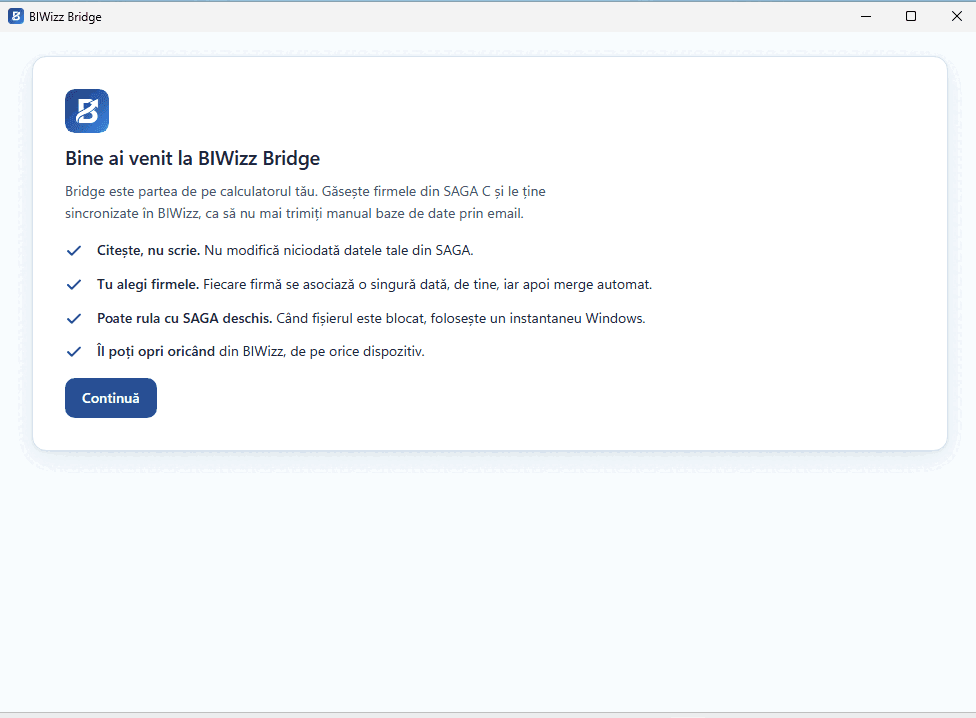
4. Connect the machine to BIWizz
The app shows you an eight-character code. Type it into BIWizz under Connected devices and tick the companies it may sync. Nothing leaves the machine until you confirm.
5. Confirm your SAGA companies
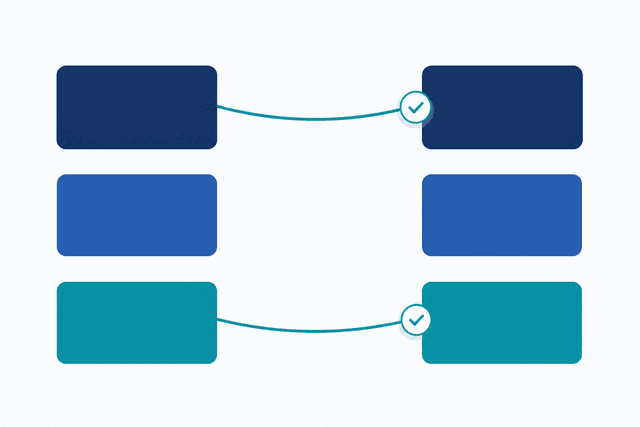
The app reads the SAGA installation and proposes, by tax ID, which SAGA company matches which BIWizz company. You check the proposal and confirm. You do it once per company, and it never asks again.
6. Pick your certificate, if you want the SPV mail too
The SPV tab lists the certificates installed on the machine, and you pick the one you normally use to sign into the portal. Bridge tries a connection straight away and tells you there and then whether it works — you find out now, not two weeks later when an enforcement notice turns out to be missing. This step is optional: with no certificate, Bridge syncs SAGA only.
7. Done — it runs on its own from here
The app stays in the system tray, next to the clock. The first sync starts within a few minutes, and after that it checks periodically whether the databases changed and whether anything new arrived from ANAF. You can close the window: it keeps running with the window closed.
What leaves your machine
Bridge sends the SAGA database of the companies you ticked, and the SPV mail of the companies you chose to read the mailbox for. Nothing else.
- It does not read other files on the machine and does not look outside the SAGA folder
- It never connects to the SAGA database and never writes anything into it
- The certificate key never leaves the token and never reaches us: the signing happens on your machine, by Windows
- In the SPV it only reads. It never files, signs, or answers anything on your behalf
- Transfers are encrypted, and you can revoke a machine from BIWizz at any time
- On Windows the access key is protected by the operating system's own mechanism and tied to your user account — copied to another machine it is useless
- BIWizz keeps an audit log of every sync: which machine sent what, for which company, and when
Want to see it on your own data?
We will walk you through how a SAGA database gets into BIWizz and what you can do with it afterwards.
Get in touch