
Updated 7 July 2026
Talk to your company data in plain language, directly from Claude or ChatGPT. BIWizz connects as a source of data and actions through the Model Context Protocol (MCP) — the open standard that lets AI assistants access external apps safely, and only with your consent.
What you can do once connected
Ask questions and get answers on your company data:
- "How much did I collect this month?"
- "Which invoices are due next week?"
- "Do I have new messages in SPV?"
- "Find my contract with supplier X in the documents."
- "Check tax ID 12345678 in the ANAF registry."
Request actions — they run only with your explicit confirmation:
- Issue an invoice (you get a preview first, then you confirm).
- Create a credit note (storno) for an issued invoice.
- Mark an invoice as paid.
- Send a file for processing (an invoice or a document).
If your company works with SAGA, the data imported into BIWizz can be queried the same way.
Connect from Claude (recommended — read + actions)
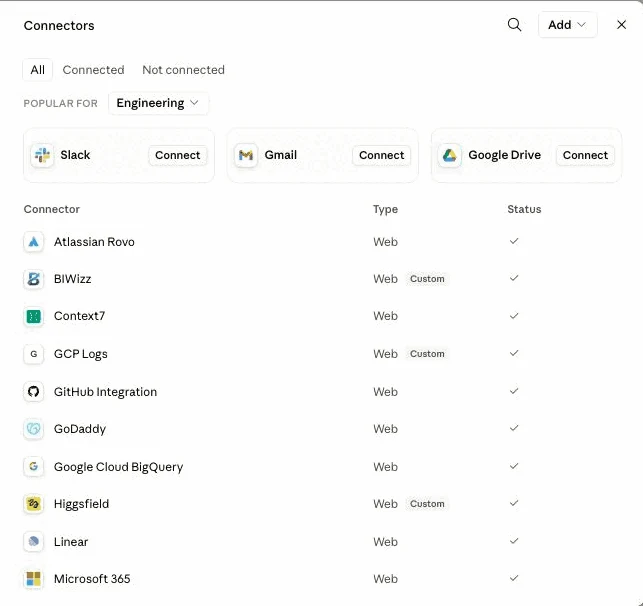
- Open Claude → Settings → Connectors → Add custom connector.
- Enter the address: https://app.biwizz.ro/api/mcp
- Claude opens the BIWizz authorization screen. Sign in with your BIWizz account.
- Choose exactly which companies you want to expose and approve.
- Done — you can ask in natural language, from any Claude conversation.
Connect from ChatGPT (developer mode)
Same address: https://app.biwizz.ro/api/mcp, added from developer mode.
Good to know: in ChatGPT, connectors with write actions are available only on Business / Enterprise / Edu plans; on individual plans (Plus/Pro) the connector works read-only. For issuing invoices and other actions, we recommend Claude.
How you stay in control
- You choose the companies. When connecting, you explicitly select which companies the assistant can see; everything else stays invisible, including in aggregations.
- Standard, revocable authorization. The connection uses OAuth 2.1 with PKCE — the same mechanism used by banks and enterprise platforms. You can revoke it at any time.
- Reads are isolated. Queries run in a read-only channel, strictly limited to the approved companies.
- No action without confirmation. Issuing, reversing or marking payments require your explicit confirmation; until then you only get a preview.
- Everything is auditable. Every call is recorded and visible — you can always demonstrate what the assistant did.
Frequently asked questions
Do I need to install anything?
Can the accountant and the business owner both use the connector?
Does my data train AI models?
What happens if I ask for something wrong?
Try BIWizz with your AI assistant
You need a BIWizz account to connect Claude or ChatGPT to your company data. Request access and we will set up your account.